
About this game
Game Introduction
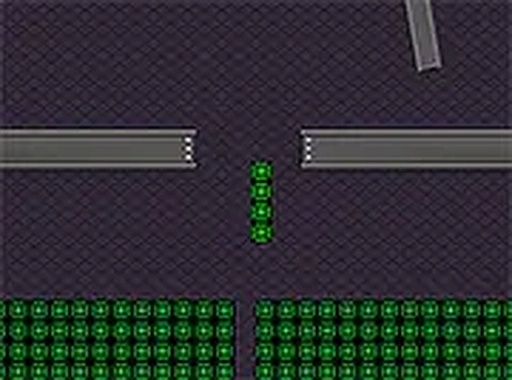
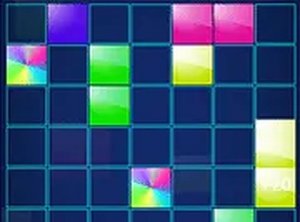
Mino Brick Puzzle Arcade is an online puzzle game where players take control of Mino, a small rectangular character from a mysterious factory. The core objective is to guide Mino through various levels while avoiding obstacles that appear along the way. This free-to-play game offers a fresh take on classic brick puzzle mechanics, combining thoughtful planning with quick reactions. The colorful visuals and straightforward controls make it accessible to players of all ages, while the gradually increasing challenge keeps the experience engaging. Whether you enjoy puzzle games or are looking for a casual way to relax, Mino Brick Puzzle Arcade provides a pleasant and entertaining experience.
How to Play
Players control Mino using keyboard or mouse inputs to navigate through each level. The goal is to move Mino safely from the start to the end of each stage while avoiding obstacles that appear in the environment. As the game progresses, new patterns and challenges emerge, requiring players to stay alert and plan their moves carefully. The game is designed for desktop play, and using full screen mode can enhance the experience. If Mino is caught by an obstacle, players can try the level again, learning from previous attempts to improve their strategy.
Game Features
Mino Brick Puzzle Arcade includes a variety of levels with increasing difficulty. The game features colorful, family-friendly graphics that are suitable for all ages. Controls are simple and intuitive, using either a keyboard or mouse. A full screen mode is available for a more immersive experience. The game is free to play online and requires no downloads or installations. Players can enjoy the game directly in their web browser.
Tips for Success
To do well in Mino Brick Puzzle Arcade, take time to observe the movement patterns of obstacles before making your move. Patience is important—rushing often leads to mistakes. Practice each level multiple times to learn the best routes and timing. Using full screen mode can help you focus better. If you feel stuck, taking a short break can give you a fresh perspective and improve your performance.

Audience comments
Sign in to comment
You must be logged in before posting a review or rating.
No account? Create one
No comments yet. Be the first to comment!