Balance Stack 3D Puzzle
Reviews
Balance Stack offers a straightforward yet rewarding experience. The physics feel accurate, and each level requires careful thought. The timer adds a gentle pressure without being stressful. It is perfect for short breaks or longer play sessions. The game helps develop spatial awareness and problem-solving skills. With no ads clutter and a clean interface, it is a solid choice for puzzle fans.
Description
Game Introduction
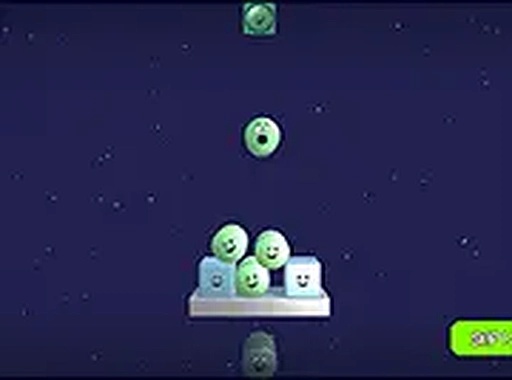
Balance Stack is a delightful 3D physics puzzle game where players carefully stack colorful shapes on a platform to build a stable tower. The core objective is simple: place each shape with precision to maintain balance and gravity. Once all shapes are stacked, a short timer tests whether your structure holds. This game offers a relaxing yet engaging challenge that improves spatial reasoning and patience. It is suitable for all ages and combines learning with entertainment in a family-friendly way. Play it for free directly in your browser with full-screen mode for better focus.
How to Play
Players use their mouse to pick up and place 3D shapes onto the platform. Each shape must be positioned carefully to keep the tower balanced. After placing all shapes, a timer starts to verify the stability of your stack. If the structure remains steady, you succeed. The game is designed for desktop play, so precise control with a mouse or keyboard is recommended. There are no complex rules—just stack, balance, and enjoy. It is a great way to practice physics concepts while having fun.
Game Features
Fun 3D stacking gameplay with physics-based challenges. Free to play with no downloads required. Full-screen mode available for an immersive experience. Desktop-only design ensures smooth controls and a clean visual style. The game offers a satisfying, skill-based puzzle experience that tests your understanding of balance and gravity.
Tips for Success
Take your time when placing each shape—rushing can lead to instability. Focus on the center of the platform to create a balanced base. Practice regularly to improve your precision and understanding of how shapes interact. If the tower wobbles, try adjusting the placement angle slightly. Patience is key; even small adjustments can make a big difference in stability.

Compatibility
This H5 game runs smoothly on: • Desktop computers (Windows / Mac) • Mobile phones (iPhone / Android) • Tablets (iPad / Android) 🌐 Best experienced with Chrome, Safari, or Edge
Faq
Is Balance Stack suitable for children?
Yes, the game is family-friendly and designed for all ages. It features colorful shapes and simple mechanics that are easy for kids to understand, while still offering a fun challenge for adults. There is no violent or inappropriate content.
Can I play Balance Stack on my phone or tablet?
The game is designed for desktop play only, as it requires precise mouse control for placing shapes. It may not work optimally on touchscreens or mobile devices. For the best experience, use a computer with a mouse.
Do I need to download anything to play?
No download is necessary. Balance Stack is a browser-based game that you can play instantly online. Simply visit the game page, and it will load directly in your browser. Full-screen mode is available for a better view.
What happens if my stack falls during the timer?
If the tower collapses during the stability test, you will need to try again. The game encourages you to learn from each attempt and improve your stacking strategy. There is no penalty for failure, so you can keep practicing.
Are there different levels or difficulty settings?
The game focuses on a single, continuous stacking challenge rather than multiple levels. As you improve, you can aim to build taller or more complex towers. The difficulty naturally increases as you try to balance more shapes.
Is there a way to reset the game if I make a mistake?
Typically, physics puzzle games like this allow you to restart the current round easily. You can likely reset by clicking a button or refreshing the page. This lets you try again without any long waits.
Games You Might Enjoy
Kogama: The Floor is Poison Online Arcade Game
Bottle Tap Puzzle Game
Kogama: Cheese Escape Rat Online Game - Adventure Game
Pizza Toss Challenge Game
Balance Stack 3D Puzzle
Paty Path Runner Arcade Game
Snake 3D Block Online Puzzle Game - Arcade Game
Smiles Clicking Game - Free Online Reflex Challenge Arcade Game
Valentine Day Jigsaw Puzzle Game Online Puzzle Game