

About this game
Game Introduction
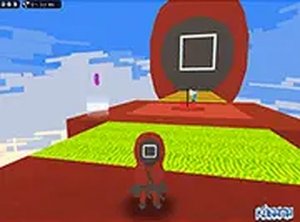
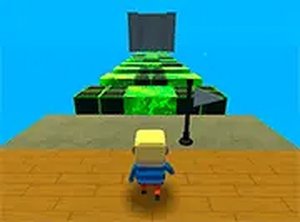
BoomGuy is an arcade platformer game that challenges players to run, jump, and use items to overcome obstacles across multiple levels. Each level introduces unique rules, requiring quick thinking and careful movement. The core objective is to complete all levels while earning the highest possible score. The game features a pixel art style that offers a nostalgic yet fresh experience for players. It is completely free to play and runs directly in your browser, with no downloads needed. For the best experience, the game is designed for desktop computers with a keyboard or mouse. Players can also enjoy it in full screen mode for greater immersion. This game is suitable for players who enjoy quick challenges and aiming for high scores.
How to Play
To play BoomGuy, use the keyboard to control your character. Typically, the arrow keys or WASD are used for movement and jumping. A separate key is used to use items to overcome obstacles. Each level presents different challenges, so pay attention to the specific rules. Try to avoid obstacles and time your jumps carefully. Collect items and overcome all obstacles to progress. Your performance is scored, so aim for a perfect score by being quick and accurate. The game is designed for desktop play, so make sure you are using a computer.
Game Features
BoomGuy includes several features that enhance the gameplay experience. It is a platformer with item-based mechanics. The game has a pixel art style. There are multiple levels to complete. Simple keyboard controls make it easy to play. Score tracking is available for each level. Full screen mode is available for a more immersive experience. The game is free to play with no downloads needed.
Tips for Success
To succeed in BoomGuy, practice regularly to improve your timing and movement. Learn the unique rules of each level to plan your approach. Focus on collecting items and overcoming obstacles efficiently. Aim for quick completion times to maximize your score. Take short breaks to stay focused and maintain performance.






Audience comments
Sign in to comment
You must be logged in before posting a review or rating.
No account? Create one
No comments yet. Be the first to comment!