
About this game
Core Gameplay Loop
Blob Leap centers on guiding a small, round character from the start of each stage to a designated finish point. The path is never straightforward; players must navigate a series of moving and stationary obstacles. The core interaction is jumping, with the character automatically moving forward or responding to directional inputs. Success depends on reading the environment and executing jumps at the right moment. A single miscalculation returns the character to the beginning of the stage, encouraging players to learn from each attempt.
Level Design Philosophy
Each stage in Blob Leap is built around a distinct pattern of obstacles. Early levels introduce simple gaps and low barriers, teaching the basic rhythm of movement and jumping. Later stages combine multiple obstacle types, such as platforms that appear and disappear, moving walls, and surfaces that alter the character's jump height. The layout of each level is fixed, allowing players to memorize sequences and refine their approach. This design rewards repeated play and gradual improvement.
Visual Style and Atmosphere
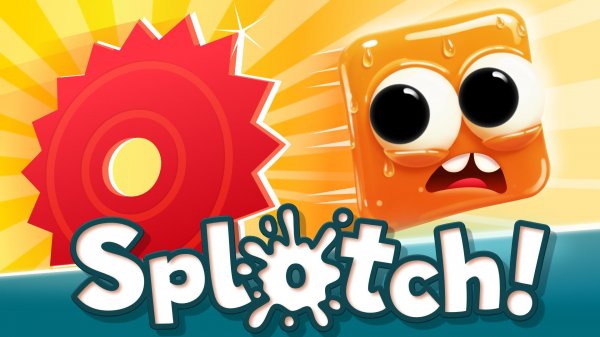
The game presents a clean, colorful aesthetic with simple shapes and bright backgrounds. The character and obstacles are clearly defined against the stage, making it easy to spot hazards. Animations are smooth and responsive, providing clear feedback for each action. The overall look is playful and inviting, suitable for players of all ages. No elements in the game depict violence, scary themes, or inappropriate content.
Progression and Challenge
Blob Leap offers a steady increase in difficulty as players advance. New obstacle types are introduced gradually, giving players time to adapt. The game does not rely on speed or complex controls; instead, it emphasizes careful observation and timing. Each level can be attempted as many times as needed, with no penalties for repeated failures. This structure makes the game accessible to casual players while still providing a satisfying challenge for those seeking to master its mechanics.
Accessibility and Control Options
The game supports multiple control methods to suit different preferences. On computers, players can use keyboard keys for movement and jumping. On touchscreen devices, on-screen buttons provide the same functionality. Some players may also connect a gamepad for a more traditional feel. The controls are simple and responsive, ensuring that the focus remains on navigating the obstacles rather than struggling with input.


Audience comments
Sign in to comment
You must be logged in before posting a review or rating.
No account? Create one
No comments yet. Be the first to comment!