Bike Racing Math Arcade
Reviews
Bike Racing Math: Integers turns math practice into an engaging race. The gameplay is simple but addictive, and the integer problems cover a good range of difficulty. It works well on mobile and desktop, making it easy to play anywhere. The full-screen option adds to the immersion. This game is ideal for students who need extra practice or for anyone who enjoys a quick, brain-teasing challenge. The replay value is high because each race feels different based on the problems you get.
Description
Game Introduction
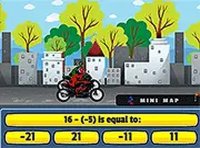
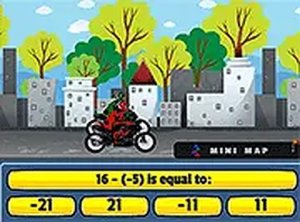
Bike Racing Math: Integers is an educational arcade game that combines motorcycle racing with integer arithmetic. Players solve addition, subtraction, multiplication, and division problems involving integers to control their bike's speed. Correct answers give a boost, while wrong answers reduce speed. Designed for all ages, the game runs smoothly in any browser on desktop and mobile devices. It offers a unique way to sharpen math skills while enjoying a competitive race. Play it free and use full-screen mode for an immersive experience.
How to Play
To play, simply click or tap the correct answer to each integer problem displayed on screen. Your motorcycle's speed depends on your accuracy. Choose the right number to accelerate and wrong answers will slow you down. No downloads are needed—just open your browser and start playing. Use a mouse or touchscreen to select answers. For a more focused view, switch to full-screen mode. The goal is to answer quickly and correctly to cross the finish line first.
Game Features
Interactive math racing that combines learning with action. Integer arithmetic practice covering addition, subtraction, multiplication, and division. Mobile-friendly design works on phones and tablets. Full-screen mode for an immersive experience. Free to play with no downloads required.
Tips for Success
Practice regularly to improve your speed and accuracy with integer operations. Focus on solving problems quickly to maintain your bike's momentum. Review basic integer rules, such as signs for addition and subtraction, to avoid common mistakes. Stay calm under pressure and aim for consistent correct answers to reach the finish line faster.
✅ Compatibility & Testing
Faq
Is this game suitable for children?
Yes, the game is designed for all ages and provides a safe, educational environment. It helps children practice integer arithmetic in a fun racing context, making it suitable for students and anyone looking to improve their math skills.
Do I need to download any software to play?
No, the game runs directly in your browser without any downloads or installations. You can start playing immediately on any device with an internet connection, whether it's a desktop computer, tablet, or smartphone.
Can I play this game on my mobile phone?
Yes, the game is mobile-friendly and works on phones and tablets. You can tap the screen to select answers, and the layout adjusts to smaller screens for a smooth experience.
What types of math problems are included?
The game covers integer arithmetic, including addition, subtraction, multiplication, and division. Problems involve positive and negative numbers, helping players practice a range of operations in a racing context.
Is there a way to track my progress or scores?
The game focuses on real-time performance during races. While specific progress tracking is not detailed, players can gauge their improvement by how quickly and accurately they answer problems to boost their bike's speed.
How does the full-screen mode work?
Full-screen mode can be activated to expand the game view, providing a more immersive experience. This is typically done by clicking a full-screen button within the game or using your browser's full-screen option.