Cheese Escape Rat Adventure
Reviews
Kogama: Cheese Escape Rat offers a cheerful and engaging experience. The levels are well-designed, encouraging players to explore and work together. Controls are responsive, and the multiplayer mode adds replay value. It is a safe, family-friendly game that provides light mental stimulation without being too challenging. Ideal for casual gamers looking for a positive, cooperative activity.
Description
Game Introduction
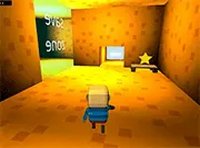
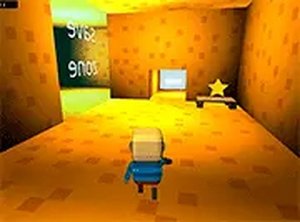
Kogama: Cheese Escape Rat Online Game - Adventure Game is a 3D adventure game where players control a rat on a cheese-themed quest. The core objective is to find and collect all the stars hidden across colorful rooms. Each star collected brings you closer to unlocking the exit and winning the game. Designed with cooperative play in mind, this game encourages teamwork and creative problem-solving. The levels are thoughtfully crafted to offer a fun, family-friendly experience for players of all ages. Available for free in your browser with no downloads required, you can jump in and start exploring a world of cheese and puzzles.
How to Play
Use your keyboard and mouse to move your rat character through the 3D environment. Navigate each room carefully to locate the hidden star. Collect all stars to unlock the exit and escape. You can play solo to test your skills or team up with friends for multiplayer fun. The game runs smoothly in your browser, and full screen mode gives you an immersive view. Simply click and play without any downloads or installations.
Game Features
Free to play with no hidden costs. Multiplayer support lets you join friends for cooperative challenges. Full screen mode enhances the visual experience. Creative level design offers fresh puzzles and rooms to explore. Smooth browser-based gameplay requires no downloads.
Tips for Success
Explore each room thoroughly, as stars may be hidden in clever spots. Communicate with teammates if playing cooperatively to cover more ground. Practice navigating the 3D environment to improve your speed and efficiency. Pay attention to visual clues in the level design that might hint at star locations. Stay patient and methodical, as rushing may cause you to miss important collectibles.
❓ Having issues?
✅ This game supports: - Desktop browsers (Chrome, Edge, Safari) - Mobile browsers (Chrome on Android, Safari on iOS) ❌ Does NOT support: - Internet Explorer - Very old browser versions 👉 Try refreshing or updating your browser
Faq
Is this game suitable for young children?
Yes, Kogama: Cheese Escape Rat is designed to be family-friendly with a lighthearted cheese theme and colorful graphics. The puzzles are non-violent and encourage exploration, making it appropriate for players of all ages. Parental guidance may be helpful for very young children navigating the 3D environment.
Do I need to create an account to play?
Typically, browser-based games like this one can be played without an account. However, some features such as saving progress or playing with friends may require a free account. Check the game's website for specific details on account requirements.
Can I play this game on a mobile device?
The game is designed for browser play on a computer, but some similar games may also work on mobile browsers. For the best experience, especially with full screen mode and keyboard controls, a desktop or laptop computer is recommended.
How long does it take to complete the game?
The playtime depends on the number of levels and your puzzle-solving speed. Since the game focuses on collecting stars in each room, a typical session might last from a few minutes to half an hour per level. The total time varies based on the game's content.
Is there a way to reset my progress?
Most browser games offer a reset option, often found in the settings menu or by clearing your browser's local storage. If the game uses an account, you may need to look for a 'reset progress' option in the game's interface or contact support.
What should I do if the game runs slowly?
Ensure your browser is updated and close other tabs or programs to free up system resources. Lowering the graphics settings or disabling full screen mode may also help. If issues persist, try a different browser or check your internet connection.