Snowball Sprint Skill Game
Reviews
Snowball Sprint offers a charming winter experience with straightforward dodge-and-throw mechanics. The game is easy to learn but provides a satisfying challenge as elf attacks become more complex. The festive theme and responsive controls make it a great choice for casual players. The increasing difficulty keeps each session engaging, and the full-screen mode enhances immersion. It is a solid, family-friendly arcade game.
Description
Game Introduction
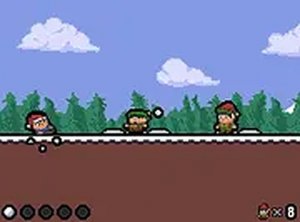
Snowball Sprint is a cheerful winter-themed skill game where players control a character running through a snowy landscape. The core objective is to survive as long as possible by dodging snowballs thrown by mischievous elves and throwing snowballs back at them. The game offers a festive holiday atmosphere and is designed for players of all ages looking for a lighthearted challenge. The game is free to play in a browser and does not require any download or installation. Its simple premise makes it easy to pick up and enjoy during short breaks or longer play sessions. The winter setting and playful elf opponents create a charming and non-threatening environment. Players can expect a fun and engaging experience that tests their reflexes and timing.
How to Play
Players typically use keyboard or mouse controls on a desktop computer to guide their character forward through the snowy terrain. The main actions involve avoiding incoming snowballs from elves, collecting snowballs by sliding over snow piles, and throwing snowballs at elves to defeat them. It is important not to crash into elves unless you have a snowball ready to throw first. The longer you survive and the more elves you hit, the higher your score will be. The game is designed to be intuitive, so new players can start playing immediately without a lengthy tutorial. The controls are responsive, allowing for quick movements and precise throws.
Game Features
Snowball Sprint includes fun snowball throwing mechanics set against a festive Christmas theme. It is free to play in a browser and offers a full-screen mode for an immersive experience. The controls are simple and easy to learn, making it accessible for casual players. The game also features increasing difficulty as you progress, keeping the gameplay fresh and engaging. The cheerful graphics and sound effects contribute to a lighthearted atmosphere. Players can enjoy the game on their own schedule, as there is no time limit for each session.
Tips for Success
To achieve a high score, focus on stockpiling snowballs by sliding over snow piles whenever possible. Time your throws carefully to hit elves before they can hit you. Stay alert and practice dodging patterns, as the elves' attacks become more challenging over time. Regular practice will help you improve your reflexes and survive longer in each run. Observing the elves' movement patterns can give you an edge in anticipating their throws.
Compatibility
Faq
Is Snowball Sprint available on mobile devices?
The game is primarily designed for desktop browsers, but it may be playable on some mobile devices depending on the browser and screen size. For the best experience, a keyboard or mouse is recommended.
Does the game have a time limit?
No, Snowball Sprint does not have a time limit. You can play for as long as you want, with the only constraint being how long you can survive against the elves. The game ends when your character is hit by a snowball.
Can I save my progress or high score?
The game may save your highest score using browser cookies or local storage. This allows you to track your best performance across sessions. However, progress is not saved to a server, so clearing your browser data may reset it.
Are there different characters to choose from?
The game typically features a single character by default. Some versions may offer cosmetic variations or unlockable characters, but this is not guaranteed. The focus is on gameplay rather than character selection.
Is there a multiplayer mode?
Snowball Sprint is a single-player game. There is no multiplayer or online competitive mode. The challenge comes from improving your own score and surviving longer against increasingly difficult elf opponents.
How do I unlock full-screen mode?
Full-screen mode is usually available through a button in the game interface, often represented by an icon with arrows. Clicking this button will expand the game to fill your entire screen. You can exit full-screen mode by pressing the Escape key.