Kogama Parkour P Online Game
Reviews
Kogama: Parkour P delivers a straightforward yet engaging parkour experience. The controls are responsive, and the multiplayer races add replay value. Each course requires careful timing and quick reactions. The game is free and family-safe, making it a good choice for short breaks or longer play sessions. It is easy to pick up but offers enough challenge to keep you coming back.
Description
Game Introduction
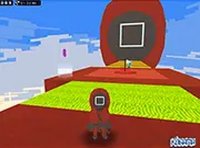
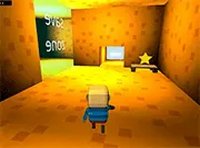
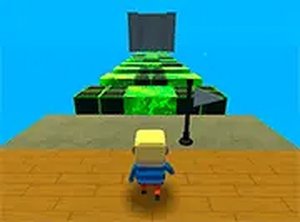
Kogama: Parkour P is an online parkour game that focuses on agility, timing, and precision. Players control a character navigating a series of platforms while avoiding obstacles and hazards. The game is designed for desktop play and offers a full-screen mode for an immersive experience. With colorful graphics and simple controls, it provides a skill-based challenge suitable for players of all ages. The core objective is to reach the end of each course while competing against others in real-time, making each attempt a test of reflexes and careful planning.
How to Play
Players typically use keyboard controls to move and jump between platforms. The arrow keys or WASD keys are commonly used for movement and jumping. Timing is crucial, as obstacles and acid blocks can end a run if touched. The goal is to progress through the course as quickly and accurately as possible. A mouse may be used to adjust the camera view for better perspective. The game is easy to learn but challenging to master, encouraging repeated attempts to improve performance.
Game Features
This game includes multiplayer parkour action, allowing players to compete with others in real-time. Obstacle avoidance is a key feature, requiring quick reactions to dodge hazards. Acid blocks add an extra layer of risk to every jump. Platform jumping tests precision and timing. Full-screen mode provides an immersive view, enhancing the overall experience. The game is available for free, making it accessible to anyone interested in skill-based gameplay.
Tips for Success
Practice regularly to improve your timing and reflexes. Study each course layout to anticipate obstacles and plan your jumps. Stay calm and focused, especially when facing difficult sections. Learn from mistakes by analyzing what went wrong and adjusting your approach. Use the full-screen mode to minimize distractions and improve concentration. Competing with others can help you gauge your skill level and motivate you to improve.
Compatibility
Faq
Is Kogama: Parkour P free to play?
Yes, the game is available for free. Players can access it online without any cost, making it an accessible option for anyone interested in parkour-style gameplay.
What platforms can I play Kogama: Parkour P on?
The game is designed for desktop play, meaning it is best experienced on a computer with a keyboard and mouse. It may also be playable on other devices depending on the platform, but desktop is recommended for optimal controls.
Does Kogama: Parkour P have single-player mode?
The game emphasizes multiplayer competition, but players can likely practice courses alone or with fewer participants. The focus is on real-time competition, though solo play may be available for skill improvement.
How do I control the camera in Kogama: Parkour P?
You can use the mouse to adjust the camera view. This allows you to see the course from different angles, which can help with planning jumps and avoiding obstacles. The camera control is simple and intuitive.
Are there different courses or levels in Kogama: Parkour P?
Typically, parkour games like this feature multiple courses or levels with increasing difficulty. While specific details are not provided, players can expect a variety of platforming challenges that test their skills.
Can I play Kogama: Parkour P with friends?
The game supports multiplayer, so you can likely join the same server or lobby as friends to compete. However, exact friend-invite features are not specified, so you may need to coordinate through the game's interface.